
First-Time Gift Card Seller Checklist: 7 Steps Before You Cash In
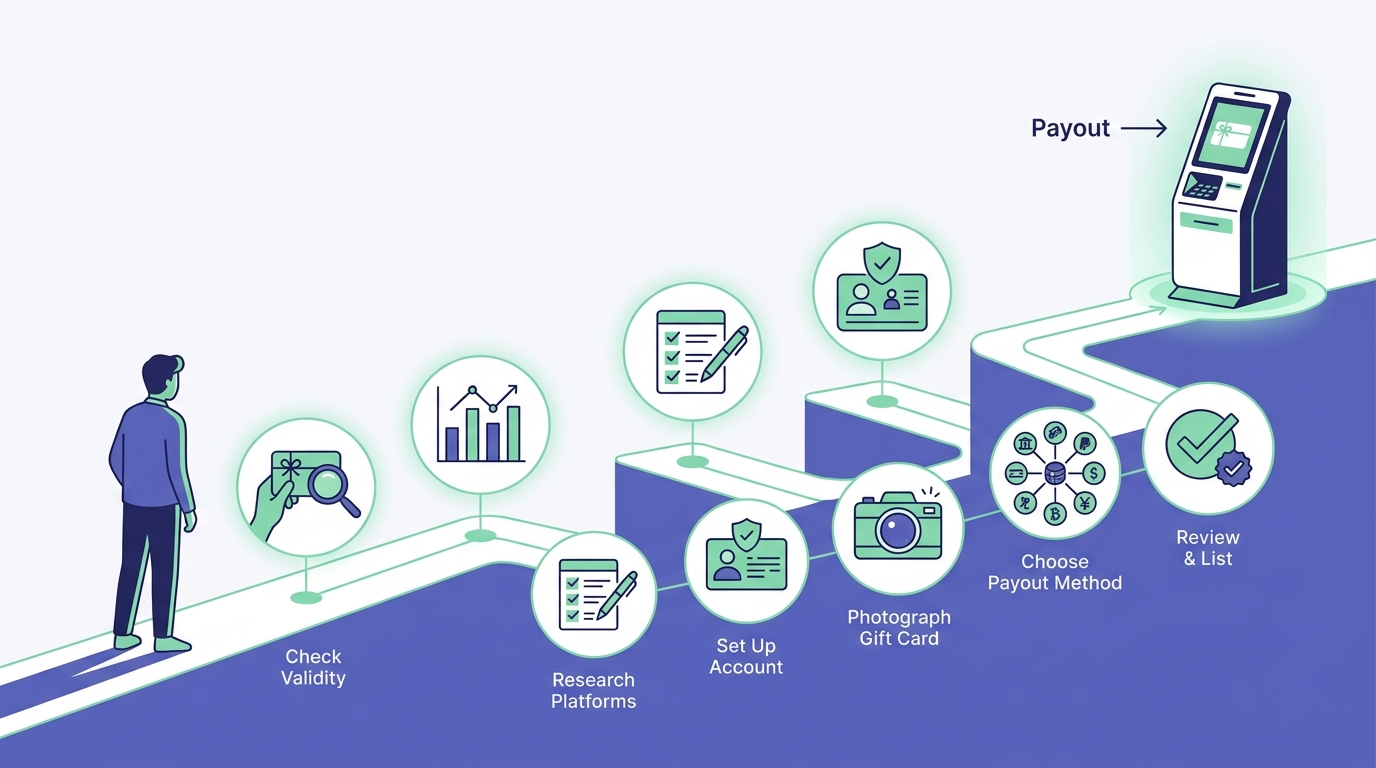
Why This Checklist Matters
You've got an unused gift card sitting in your wallet, and you're ready to turn it into cash. Smart move — but if you skip a few key steps, you might leave money on the table or run into delays. This checklist covers everything first-time sellers need before hitting "submit" on a buyback offer.
Step 1: Verify Your Gift Card Balance
Before you even look up rates, confirm exactly how much is left on your card. Most retailers let you check online or by phone:
- Check the retailer's website — look for a "Check Balance" link in the footer.
- Call the number on the back — automated systems usually work 24/7.
- Visit a store — if you're nearby, customer service can scan your card.
Writing down your balance (and taking a screenshot if it's digital) protects you later. If the card value changes unexpectedly, you have proof.
Why This Step Matters
Buyback platforms like GC Nexon base their offer on the current balance. If you list a $100 card but the balance is only $85, your payout drops accordingly.
Step 2: Compare Buyback Rates Across Platforms
Not all buyback sites pay the same. A Target gift card might fetch 80% on one platform and 70% on another. Spend five minutes comparing:
- Top-tier merchants (Amazon, Walmart, Target) typically earn higher rates.
- Niche retailers (specialty stores, regional chains) may command lower offers.
- Physical vs. digital cards — some platforms prefer e-gift codes because they're faster to verify.
We recommend checking at least two or three sites. GC Nexon publishes typical rates for popular brands on our homepage, so you can benchmark quickly.
Step 3: Gather Required Information
Most buyback transactions need three pieces of data:
- Card number — usually 15-19 digits on the back.
- PIN or access code — not all cards have one, but if yours does, you'll need it.
- Current balance — this is where Step 1 pays off.
For e-gift cards, you might also need the original email or a redemption link. Keep these details handy before you start the submission form.
Security Tip
Only enter your card details on secure sites (look for HTTPS in the URL). Legitimate buyback companies never ask for your Social Security number or banking passwords.
Step 4: Choose Your Payout Method
Different platforms offer different ways to get paid. At GC Nexon, we support:
- PayPal — arrives within minutes to a few hours.
- Cash App — fast and popular for mobile users.
- Zelle — instant if your bank supports it.
- Bitcoin — for crypto enthusiasts who want flexibility.
- Chime — direct deposit to your Chime account.
Pick the method that works best for your timeline. If you need cash today, PayPal or Zelle are usually the fastest. If you're less rushed, any option works.
Step 5: Read the Fine Print on Fees and Timing
Most reputable buyback sites don't charge hidden fees, but always check:
- Are there transaction fees? — Some platforms deduct a processing charge.
- How long until I'm paid? — Typical turnaround is 1-24 hours, but it varies.
- What if my card is declined? — Understand the verification process and what happens if there's an issue.
We process most transactions within a few hours and send your funds the same day. Your confirmation email will include a reference number (format: NEXON-XXXXXX-XXXX) so you can track your payout.
Step 6: Submit Your Card and Confirm the Offer
Once you've picked a platform, fill out the submission form carefully:
- Double-check your card number — one wrong digit can delay everything.
- Re-verify your balance — it's worth a final glance.
- Select your payout method — make sure your account details are correct.
After you submit, you'll get an instant quote. Review it before you accept. If the rate seems off, reach out to customer support — sometimes there's a data entry glitch.
What Happens Next?
The buyback company verifies your card balance (usually automated). If everything matches, they release your payment. If there's a discrepancy, they'll contact you.
Step 7: Keep Your Confirmation Email
Once your transaction is complete, save your confirmation email. It includes:
- Your reference number.
- The exact payout amount.
- The method and timing of your payment.
If you run into any issues (rare, but it happens), this email is your proof of sale. Most platforms also let you check your transaction history online.
Ready to Sell?
You now have a clear roadmap for your first gift card sale. Verify your balance, compare rates, gather your card details, pick a payout method, read the terms, submit carefully, and save your confirmation. Follow these seven steps and you'll get paid quickly with zero surprises.
GC Nexon has helped thousands of first-time sellers turn unused cards into cash. If you've still got questions, our support team is standing by — just hit the chat button on our homepage.